Set it up before you leave
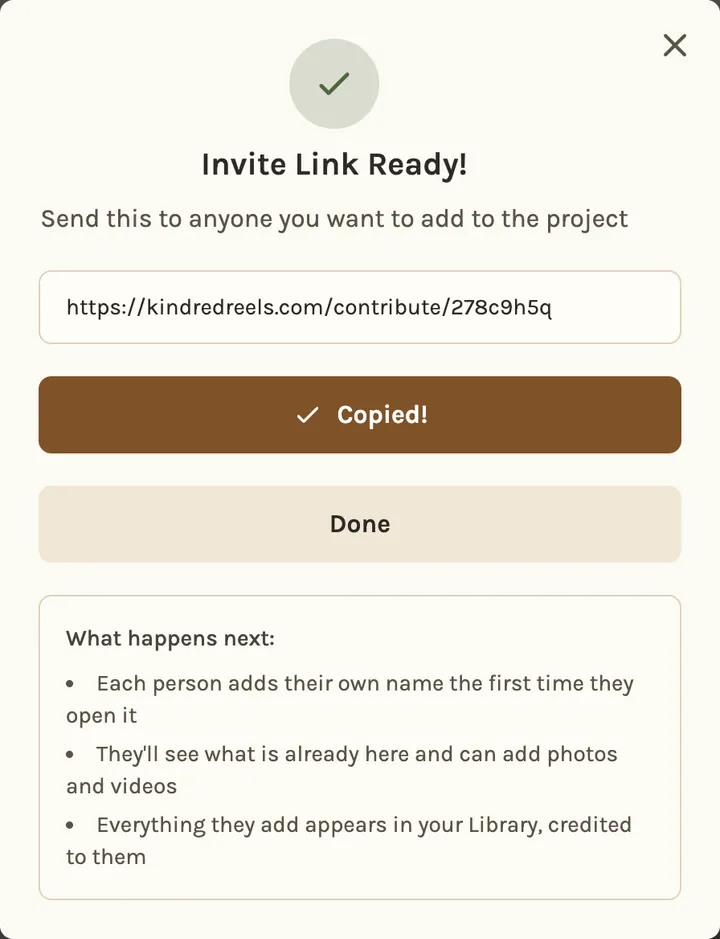
The best time is the last evening of the trip, while everyone is still together. In Kindred Reels, start a project and copy its invite link. Post the link in the group chat and pin it if your chat app lets you.
When someone opens the link, they type their name and add photos and videos from their phone, or pick them from their own Google Photos. They need no app and no account, and it works the same on iPhone and Android. Everything lands in one project, with each photo credited to whoever added it.
If your group already made a shared Google Photos or iPhone album and people are using it, keep it. You can bring the whole album in later.
Ask once, and ask for everything

Send one message with the link, a date and two simple rules:
Here's where all the trip photos go: [link]
Please add yours by Saturday. Add everything, videos too, even the shaky ones.
Add them from your own photo library, not from the chat.
Only your own photos, please, not ones other people already sent you.
"Everything" saves people the work of choosing, and they won't leave out the shot you would have picked. "From your own library" matters because many chat apps send a smaller copy, which looks soft on a TV. "Only your own" stops most duplicates before they start.
A week is long enough to get to it and short enough that nobody forgets.
Don't forget the videos
People skip videos because they are big, or forget they took them. Mention videos in your ask. If you know someone filmed a moment, ask for that clip by name: "Do you still have the video from the boat?"
Each video can be up to 2 minutes long. Longer ones need a quick trim on the phone first.
A big batch from a phone takes a while, so tell people to keep the page open until it finishes. If they pick from Google Photos instead, they can close the window and the import keeps going.
Chasing the stragglers
On the deadline, check who has added photos. In Kindred Reels, the People tab lists everyone who has added something.
Then message the missing people one at a time, not the whole group. A group reminder gets read and ignored, because everyone assumes it is meant for someone else. Make it small and specific, and send the link again. One personal reminder is usually enough.
Duplicates
Duplicates come from chat copies of other people's photos and from someone adding the same batch twice. Kindred Reels skips a file that was already added, and when it builds the timeline, near-identical shots of the same moment are grouped and the best one is kept. A chat copy can still slip through, which is why "only your own photos" is worth saying.
Once it's all in
Everything is already in one project, ready to become the film. Kindred Reels puts it in the order it happened, picks the best of each moment and cuts the videos down to their best seconds. Our guide on making one film from everyone's trip photos covers what makes a trip film good.