How it's built
What happens to your photos between the moment you add them and the moment the film starts playing. For anyone curious about the parts you never see.
- You add photos and clipsFrom any phone or Google Photos
- Each one gets a close lookGoogle's Gemini
- The timeline is built25 steps, most of them plain code
- You make it yoursOrder, music, theme, pace
- The film is renderedFFmpeg on a 16-core machine
- You watch and share720p to 4K
Every photo gets a close look
When a photo arrives, Google's Gemini looks at it once and writes down what it sees. It notes where the faces are and where the eye should go, a short caption, whether it is a photo of people, a place, a detail, or something like a receipt or a screenshot, and how strong a shot it is on four counts: the subject, the people's engagement, the composition and the moment. It also says whether the photo is upright.
If a photo is sideways, it is shown to the model turned all four ways, and the one turn it calls upright wins. If two turns both look upright, nothing is rotated, because a wrong rotation is worse than none.
Each photo also gets an embedding: a list of 1,408 numbers that sums up how the picture looks. Photos that look alike end up with similar numbers, which is how near-duplicates are found later without anyone comparing them by eye.
Finding the moment in a clip
A video goes to a separate service on Google Cloud Run. It pulls a frame every two seconds and runs Whisper, an open-source speech model, inside the same container, so the model reading the frames also gets a transcript with timestamps. It is asked for the most memorable moment: faces, reactions, laughing, someone speaking, and never a cut in the middle of a sentence.
Usually that is one clip of five to ten seconds, sometimes two or three if the video holds separate moments, and none if nothing is usable. Clips are never cut at upload: the video is kept whole and trimmed only when the film is made, so a different choice later costs nothing.
Working out when each photo was taken
Getting the order right matters more than anything else, and dates are messier than they look. Each photo's date comes from the best source it has, in this order:
- 1A date you typed inAlways wins
- 2The camera's own dateUnless it clearly belongs to a scan
- 3A date in the file nameLike 20260720_203724.jpg, but never a chat app save
- 4The model's best guessFrom clothes, color, film grain, faces
A print scanned last spring carries last spring's date. When the camera date and the picture disagree by decades, the picture wins.
Dates from file names are checked as a group, not one by one. When a whole batch claims the same minute, that is what a bulk save or a chat export looks like, so the batch is treated as undated instead. And when a phone and a camera disagree about the time zone, the camera's clock is shifted to match, so one afternoon does not split into two chapters.
Setting aside the doubles and the blurry ones
The same file uploaded twice is caught by its fingerprint and kept once. Near-duplicates, like five shots of the same pose, are found from those embeddings: two photos are grouped only if each is among the other's five closest matches, and the cut-off for “close” is worked out from each project's own photos. A model then looks at each group and keeps one.
Three shots a second apart: 0.97 and 0.95 alike. One stays.
Too blurry to use: set aside, not deleted
Nothing is ever deleted. Every photo left out keeps its reason and waits in a Not Included panel, and dragging it back into the timeline takes a second.
Building the timeline
Building a timeline takes 25 steps. Only 9 of them can ask a model anything. The rest are plain code, on purpose: when a rule can be written down, code does it, because code gives the same answer every time and never has a bad day.
- Plain code (13)
- Can ask a Gemini model (9)
- Image embeddings (2)
- Face matching (tributes only) (1)
Chapters come from the gaps in time, not from a model. Any pause of 45 minutes or more could be a break, and a search then balances the chapter sizes and prefers breaking overnight. For tributes, where photos span decades, a larger Gemini model plans the chapters instead.
Inside each chapter a model looks at the actual photos, never more than 100 at a time, and picks the strongest. It may pick fewer than asked when the photos are weak or repetitive. The same pass suggests a cover, then one more call chooses the shots that open and close the film, and another titles all the chapters together so they read as one story.
Every model step has a plain-code fallback. If a call fails, the timeline still gets built, in date order.
Finding the person a tribute is for
A tribute is about one person, sometimes two, so the timeline needs to know which photos they are in. This is the one place faces are matched to a person, and it only happens after the project's owner agrees to it. Nobody else can turn it on.
The owner adds the person with up to five clear photos of them. Amazon Rekognition, a face recognition service, turns the largest face in each into a face template. When the timeline is built, each candidate photo is checked against those templates. Matching runs then rather than at upload, because most uploads never make it into the film.
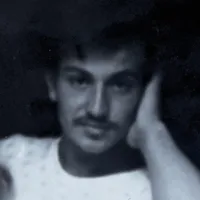
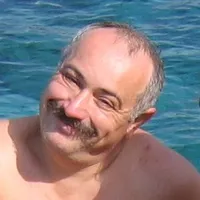
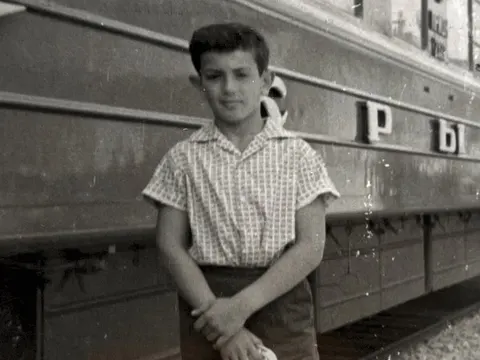 1960s99.7%
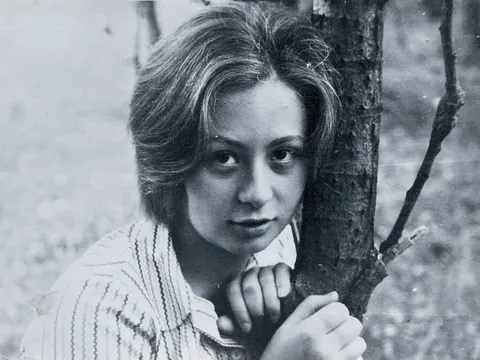 1970snot him
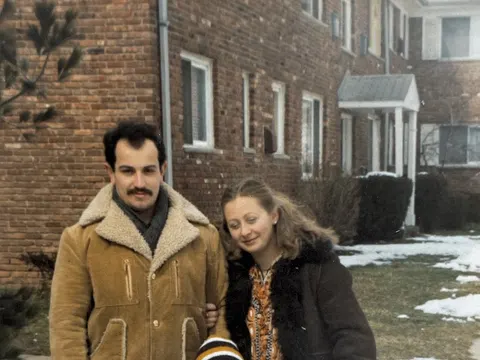 1970s99.7%
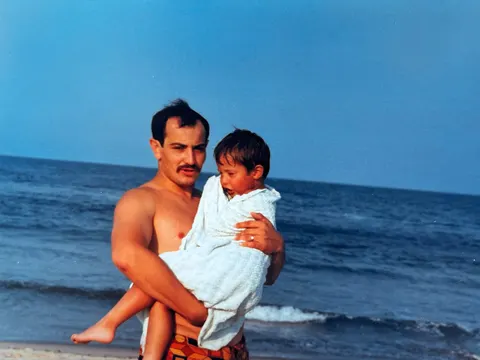 1980s99.7%
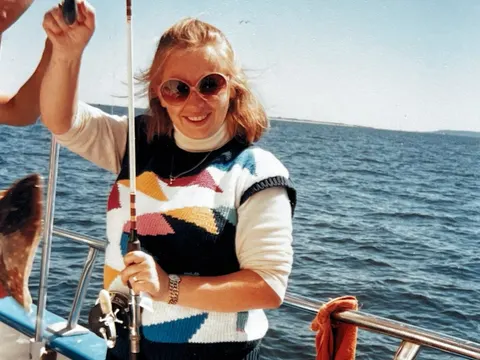 1980snot him
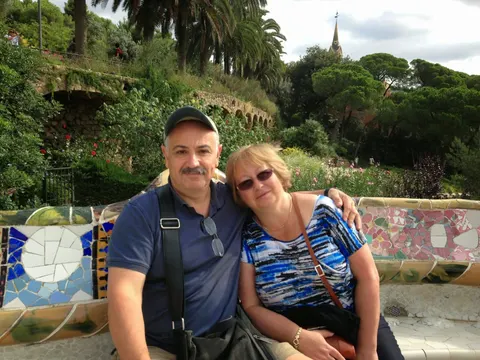 2010s100%
Knowing who is in each photo does two jobs. A tribute's photos often span decades and many have no date, so they are put in order by how old the person looks in them. And the step that picks the photos is told who is in each one, so the film stays about them. The templates are deleted when the person is removed from the project, when the project is deleted, or when the account is. Removing the last person also withdraws the agreement. In every other kind of reel, faces are only located, so the camera can frame them, and nobody is identified.
Your turn: changing anything you like
The timeline is a first draft, not a verdict. Everything that was picked sits in the Timeline column, grouped into chapters. Everything left out sits next to it under Not Included, each photo labelled with the reason. Drag a photo across to bring it back, drag one out to drop it, or drag within a chapter to change the order. Whole chapters can be dragged into a new order too.
 Blurry
 Near-duplicate
 Not picked
Chapter titles are edited in place. You can add a chapter, choose the cover photo, turn the chapter title cards on or off, and add a section that plays after the credits, for the outtakes. A pace setting makes the photos linger or move quickly: relaxed, normal or fast. And you can send family members a link to record a voice memory about any photo.
Music that fits each chapter
Every song in the library is tagged with one of seven moods, and so is every chapter. Each chapter gets songs of its own mood, picked by plain code, not a model. If one song is too short, a second one of the same mood follows it with a one-second crossfade, and no song is used twice in a film.
- Joyful
- Adventurous
- Tender
- Playful
- Reflective
- Epic
- Chill
You can swap any song, set how loud the music plays in each chapter, or upload your own music if you have the rights to it. If a song is shorter than its chapter, it fades out at its own end. Photos are never squeezed to fit the music.
Themes
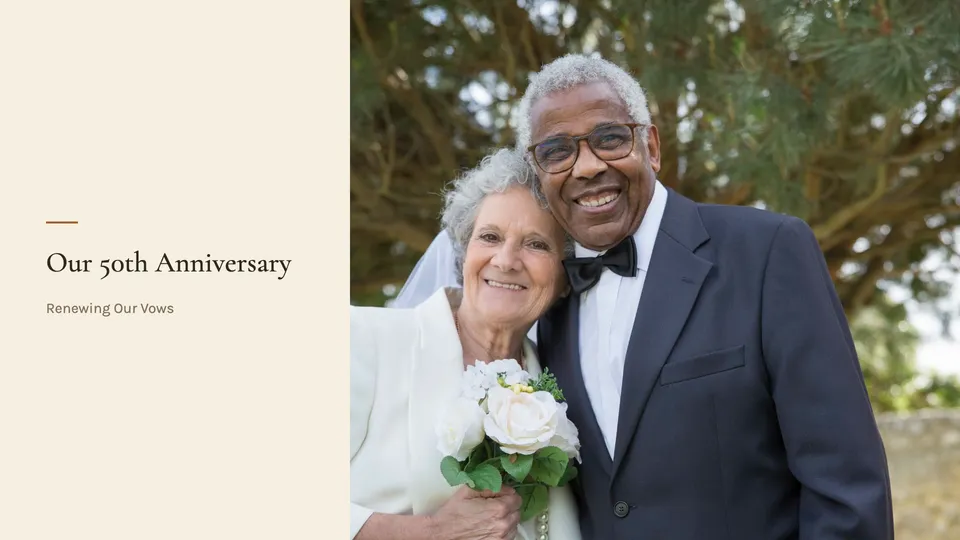
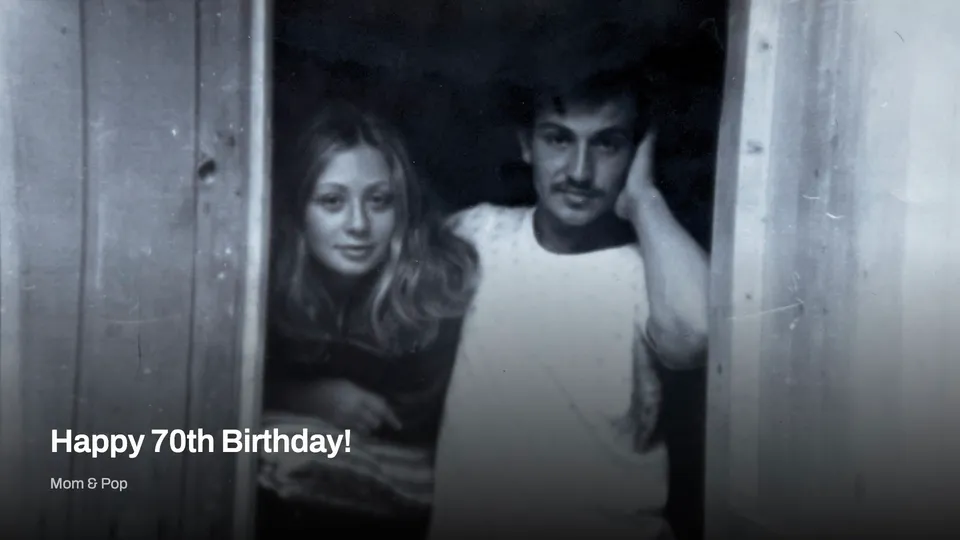
The title card, the chapter cards and the credits follow a theme. There are 13, in four groups, and the picker previews each one with your own title and photo before you choose. The cards are designed as web pages and drawn by the same browser that renders the credits, with the fonts bundled in, so a card looks the same every time.
Making the film
The film is made on one 16-core machine at Amazon that starts when there is a film to make and switches itself off when there is not. Each photo, clip and title card is rendered as its own piece, many at once, then joined. FFmpeg does the video work, and the title cards and credits are drawn as web pages in a headless Chromium browser and captured frame by frame.
Every photo moves. The camera reads where the faces are and picks one of four moves. The zoom is about 10 percent, and the center of the frame never travels more than 6 percent, so it feels like a slow breath rather than a ride.
starts hereends on the whole photo- One or two people, faces largeZoom in toward them
- A group, or faces smallStart close, pull back
- No people, a detailZoom in on the subject
- No people, a placePan toward the subject
Cuts land on the beat. librosa, an audio library, finds the beats in the song, and each photo lasts a whole number of bars. On our test songs every cut landed within 17 thousandths of a second of a beat. Chapters with a voice recording keep an even pace instead, so the voice sets the rhythm.
Mixing voices, clips and music
A clip's own sound is judged twice: once by Whisper, which hears speech, and once by the model that watched it, which knows a toast from a gust of wind. Together they set how loud the clip plays against the music.
Recorded voice memories work the same way. Family members record from a link, with no account. In the film the music dips to 15 percent while someone speaks, and every voice is leveled a little above the music, so a quiet grandmother and a loud nephew sound like they are in the same room.
What happens to your data
Stored in the United States
Your files live with Amazon Web Services and Google Cloud in Virginia. The Gemini analysis may run in Google data centers outside the US.
Nothing is generated
Every model call returns words and numbers, never pictures. The film is made only from frames you uploaded.
Your photos stay as they are
Two exceptions: iPhone HEIC files are converted to JPEG, and a sideways photo is saved upright. Nothing else in a picture is changed.
Faces are named only in tributes
Everywhere else, faces are only located so the camera can frame them. Matching who someone is needs the owner to agree first.
A safety check on every photo
Google's own screening runs on each photo and clip. Anything it blocks is left out of the film.
Delete it all yourself
One button on your account page deletes your projects, photos, recordings, finished films and any face data.
The full details are in the privacy policy.
What it runs on
Kindred Reels is built by a small team. You can read more about us on the About page, or see the simple version of all this on How It Works.